Reference
Additional Information about how the P2P works.
Automatic GH Action authentication
As part of your tenancy you define GitHub repos.
All of those repos get passwordless access to deploy to your namespaces and any sub namespace you create.
Requirements
In order to use this pipeline, you’ll need to be a tenant of a Core Platform.
Register your repository in the tenancy configuration and configure the GitHub variables required by the pipeline.
GitHub Variables
P2P pipelines expect repository and environment variables to be configured in GitHub under Settings > Secrets and variables > Actions and Settings > Environments. Use the values from your platform environment configuration.
Create your environments with the following variables:
BASE_DOMAINe.g.gcp-dev.cecg.platform.cecg.ioINTERNAL_SERVICES_DOMAINe.g.gcp-dev-internal.cecg.platform.cecg.ioDPLATFORMenvironment name from platform-environments e.g.devPROJECT_IDproject id from platform environments e.g.core-platform-efb3c84cPROJECT_NUMBERproject number for the project id above
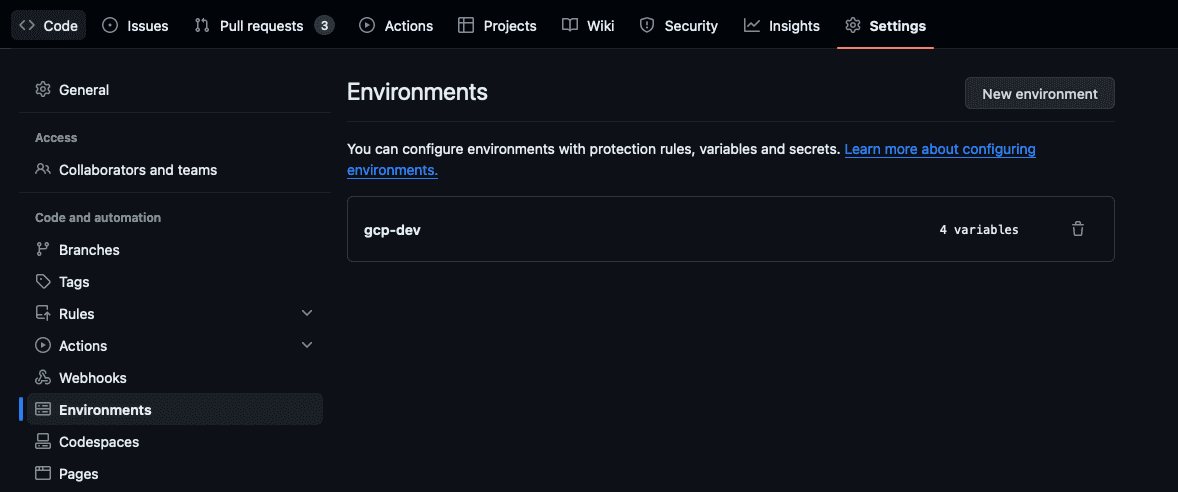
Usually you need at least two environments, e.g.
devprod
For an instance of the CECG Core Platform on GCP.
A single dev environment is enough for Fast Feedback.
Set the following repository variables (these may be set globally for your org):
FAST_FEEDBACKto{"include": [{"deploy_env": "dev"}]}EXTENDED_TESTto{"include": [{"deploy_env": "dev"}]}PRODto{"include": [{"deploy_env": "prod"}]}
And specifically for your app set:
TENANT_NAMEas configured in your tenancy in platform environments
Make parallelism
Pass the optional make-flags input on an application’s workflow call alongside
runner-label to let P2P run independent Make recipes concurrently:
with:
  runner-label: ubuntu-24.04
  make-flags: '--jobs=4'
Applications in a monorepo can select different job limits in their own workflow
calls. P2P forwards the input through application stages, promotion and image
discovery. Platform CI, CD and release workflows also accept it. The resolved
value is passed as Make’s native MAKEFLAGS; recursive $(MAKE) calls inherit it.
A non-empty input takes precedence over the optional P2P_MAKEFLAGS organization
or repository variable. Leave that variable unset when applications should
configure their options independently. If both the input and fallback are empty,
P2P adds no Make options. Pass make-flags: '--jobs=1' for serial execution even
when the fallback enables parallelism. Pipeline stages and GitHub job concurrency
keep their existing behavior.
Declare dependencies in your Makefile before enabling parallel execution.
Listing prerequisites in order, such as p2p-build: build-app push-app, does not
make push wait for build. Add push-app: build-app, and equivalent dependencies
for publishing, deployment, and tests.
For example, two components can build concurrently while each push waits for its own build:
.PHONY: p2p-build build-api build-ui push-api push-ui
p2p-build: push-api push-ui
push-api: build-api
push-ui: build-ui